
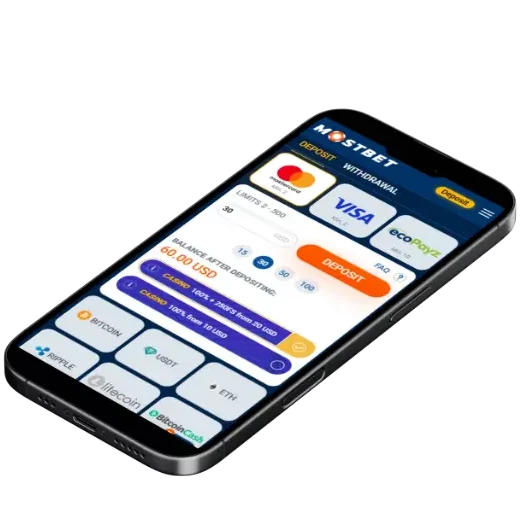
Deposit Methods
Mostbet supports several practical deposit methods for players in Pakistan, focusing on speed, availability, and ease of use. The best option for you usually depends on whether you prefer instant top-ups, banking channels, or wallet-style payments. Before choosing, always double-check the deposit limits, possible fees, and how quickly the balance appears in your account.
Here are the most common factors to compare when picking a deposit method:
- Speed (instant vs. delayed confirmation)
- Fees (from your bank/provider vs. platform side)
- Convenience (mobile-friendly, 24/7 availability)
- Verification requirements (some methods require additional checks)
- Compatibility (whether the same method can be used for withdrawals)
Popular deposit options (Pakistan)
| Method | Minimum limit | Maximum limit |
| Easypaisa | PKR 150 | PKR 250,000 |
| JazzCash | PKR 150 | PKR 250,000 |
| Bank Transfer | PKR 2,000 | PKR 220,000 |
| CashMaal | PKR 150 | PKR 250,000 |
| Cryptocurrencies | Depends on the coin | Depends on the coin |
How to Deposit
Depositing is usually straightforward: you choose a method, enter the amount, complete provider confirmation, and your balance updates. The key is to enter details carefully and avoid repeated clicks if the payment gateway is loading.
Step-by-step deposit flow:
- Log in to your Mostbet account and open the Cashier (or Deposit) section.
- Select a deposit method that is available in Pakistan for your account.
- Enter the deposit amount and review any displayed limits or fees.
- Provide the required payment details (card info, wallet ID, or bank details).
- Confirm the payment through your bank/app (OTP or verification if required).
- Return to Mostbet and wait for the “Success” message and updated balance.
If your deposit is “pending,” don’t immediately retry—many failed deposits are actually slow confirmations. Wait a few minutes, check your banking app, then check your transaction history in the cashier.

| Issue | What it usually means | What to do |
| “Payment declined” | Bank/provider rejected it | Check balance, limits, OTP; try later or another method |
| “Pending” too long | Provider confirmation delay | Wait 10–30 minutes; don’t spam retries; keep receipt |
| Amount not credited | Callback failed or mismatch | Check transaction status; contact support with proof |
| OTP not received | Bank messaging delay | Re-request OTP once; confirm number; try bank app approval |
Withdrawal Methods
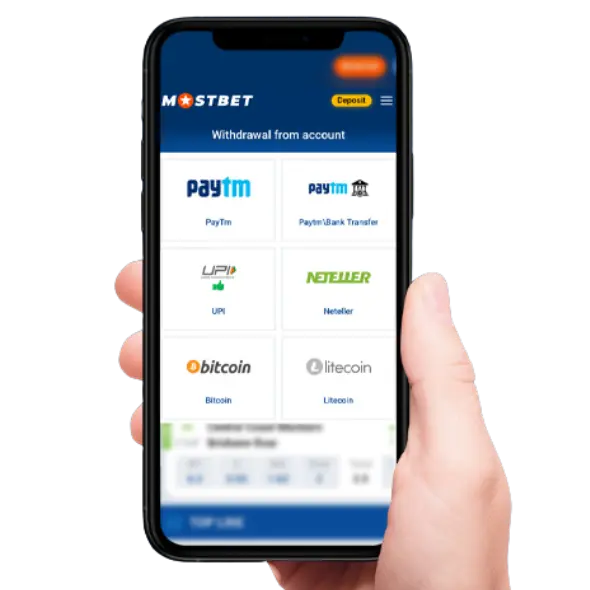
Withdrawals are often tied to account security and compliance rules. In many cases, the smoothest experience happens when you withdraw using the same “family” of method you used to deposit (for example, card → card, wallet → wallet), and after your profile verification is completed.
What you may need for withdrawals (prepare in advance):
- Verified profile details (matching your documents)
- Access to the deposit method you used (or an approved alternative)
- Correct wallet/bank/card details (double-check digits)
- A confirmed phone number/email for security checks
| Method | Minimum limit | Maximum limit |
| Easypaisa | PKR 150 | PKR 250,000 |
| JazzCash | PKR 150 | PKR 250,000 |
| Bank Transfer | PKR 2,000 | PKR 220,000 |
| CashMaal | PKR 150 | PKR 250,000 |
| Cryptocurrencies | Depends on the coin | Depends on the coin |
Important: if you’re asked to complete KYC (identity verification), do it once and do it properly—clear photos, matching names, and readable documents reduce repeated requests and speed up future payouts.
How to Withdraw
The withdrawal process is similar across methods: pick the channel, enter the amount, add destination details, confirm, then wait for approval and processing. Delays usually come from verification, incorrect details, or exceeding limits.
Step-by-step withdrawal flow:
- Open Cashier → Withdraw in your Mostbet account.
- Choose your preferred withdrawal method from the available options.
- Enter the amount (stay within min/max limits shown).
- Add destination details carefully (wallet ID, IBAN/account, or card).
- Confirm the request and complete any security prompt (OTP/2FA if enabled).
- Track the status in your withdrawal/transaction history until “Completed.”
Withdrawal History
Your withdrawal history is your best tool for staying organized and resolving issues quickly. Use it to confirm dates, amounts, method used, and the exact status message. It’s also where you can spot patterns—like requests that always fail due to the same detail mismatch.
What to track in your withdrawal history:
- Request time and completion time (helps estimate future payouts)
- Status labels (Pending / Approved / Completed / Rejected)
- Method details (masked card, wallet ID, bank reference)
- Any fee deductions or conversion notes
- Support ticket references (if you contacted support)
If you see “Rejected,” read the reason carefully. Most rejections are fixable: incorrect destination details, unverified profile, or unmet wagering requirements. Make one correction, then try again—changing multiple variables at once makes it harder to diagnose the cause.